
EDLA in Schools: What It Means & How to Prepare

What ELDA Means for Classroom Technology & How to Prepare

As technology becomes an essential part of learning, schools are increasingly looking for devices that are secure, reliable, and easy to manage. One key term you might hear is EDLA, or Enterprise Devices Licensing Agreement.

If you’re a principal, IT manager, or teacher, understanding EDLA is critical for making the right decisions for your 2026 classroom technology planning.

What does EDLA Acronym Mean?
Enterprise Device Licensing Agreement

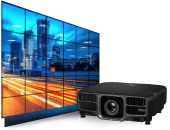
The ELDA Google certification program allows interactive displays and smart boards to run official Google Mobile Services (GMS), including the Google Play Store, Google Drive, and YouTube, natively.

What is EDLA?

EDLA is Google’s certification for enterprise Android devices, this includes interactive classroom screens, tablets, and other non-standard devices (anything that isn’t a phone or regular tablet).

Being EDLA certified means that:

  • The device runs a version of Android approved by Google, meeting security, stability, and performance standards.
  • Schools can pre-load Google apps and services safely, including the Play Store, Google Classroom, and other teaching tools.
  • Devices receive regular security and feature updates, helping protect your school network and ensuring long-term usability.

State Schools Agreement (SOA) provider

As a State Schools Agreement (SOA) provider, we’ve just reviewed the latest SOA pricing for classroom technology and can confirm that EDLA-certified devices are now fully available for Queensland state schools.

This includes:

  • Primary (State Schools, SS)
  • Secondary (State High Schools, SHS)
  • Special Schools

Why EDLA Matters for Schools

Integration with management systems
EDLA devices can be managed through Microsoft Intune or other MDM solutions, allowing IT teams to push updates, install apps, and monitor device health remotely.

Using EDLA-certified devices in classrooms provides a number of benefits:

  • Reliability
    devices are tested and certified for consistent performance, meaning fewer interruptions during lessons.
  • Ease of use
    native casting and preloaded Google apps allow teachers and students to quickly share content without needing third-party subscriptions.
  • Security and compliance
    EDLA devices meet the Queensland Government’s standards for software updates and device management.

Preparing Your School for EDLA Devices

To make the most of EDLA-certified devices in your classrooms, schools should consider the following steps:

  • Audit existing technology
    Identify which screens, tablets, and devices are already EDLA-certified, and which will need replacement.
  • Plan classroom rollouts
    Consider introducing EDLA devices in phases, such as by year level, block, or special programs, to manage budgets and training efficiently.
  • Train staff
    Ensure teachers understand how to cast content, annotate, and use educational apps, maximizing the potential of interactive screens.
  • Coordinate IT management
    Enroll devices in Intune or another MDM to allow for centralized control and ongoing updates.
  • Budget for 2026
    EDLA devices may have a slightly higher upfront cost, but their long-term reliability and reduced support needs make them a cost-effective choice over time.

Macrosphere – Your Experts In Getting ELDA Ready

POST TAGS

GallerySBMAQ

Our Specialist AV Service